Capture in a second
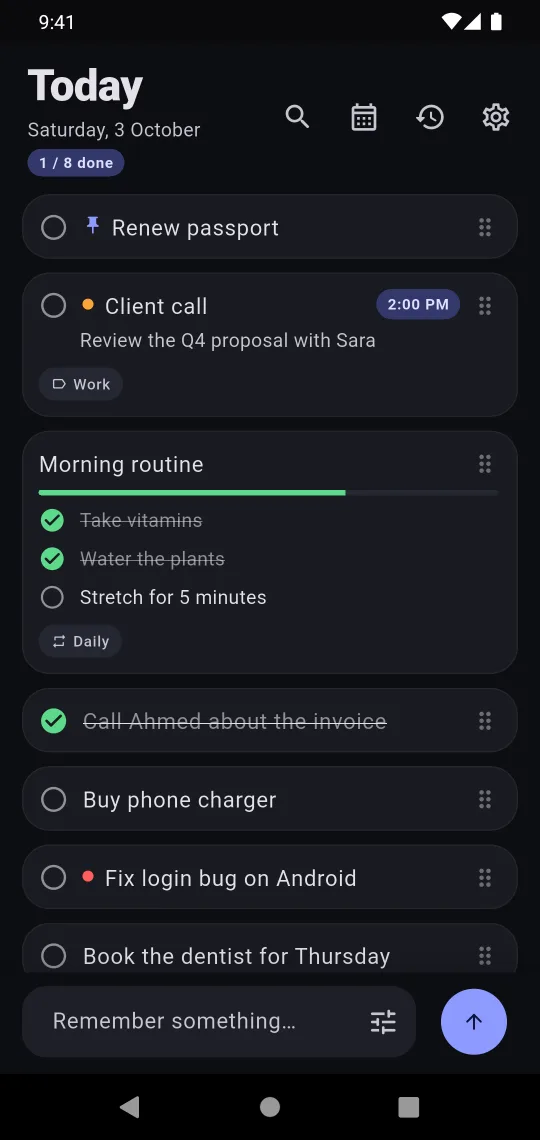
Open, type, done. No title, no folder, no date. Or share text from any app, or select it and tap “Remember this”.
Type a thought, see it on your home screen, tick it off. At midnight Today starts fresh — and everything you wrote waits quietly in History. No overdue pile. No guilt.
What it is, why it clears at midnight, and how the widget works — no voiceover, just turn the sound up.
Most to-do apps punish you for what you didn't finish. Second Brain lets each day end.
Open, type, done. No title, no folder, no date. Or share text from any app, or select it and tap “Remember this”.
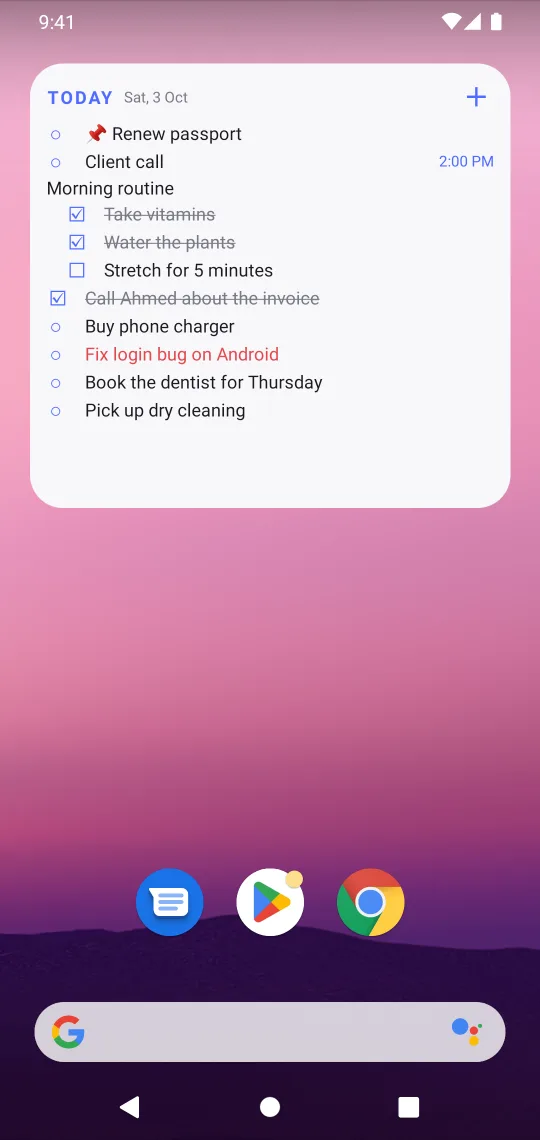
The widget shows today's notes and checklists. Tap a circle to finish one — without opening the app.
At midnight Today clears. Nothing is deleted — yesterday waits in History, searchable any time. Up late? Move the reset to 1–5 AM.
Today's notes and checklists, right on your home screen. Tick things off with one tap, add a note with the +, and watch it refresh by itself at midnight.
Pinned notes skip the reset and stay until you tick them off. Renew passport. Pay the insurance.
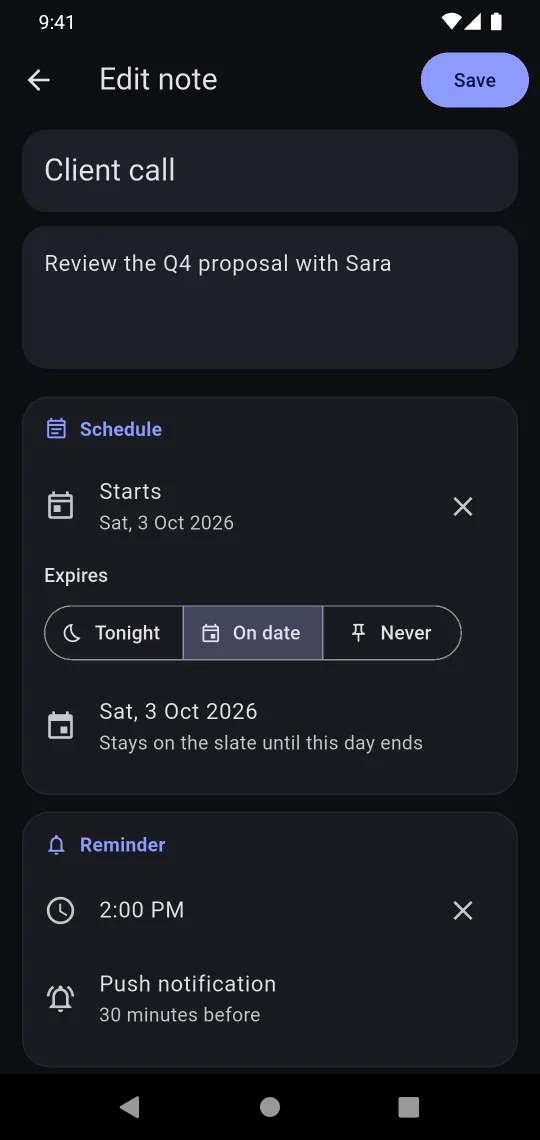
At the time, or 15 minutes to a day before. Exact alarms, re-armed after every reboot.
Daily, weekly, monthly, yearly or every few days. Repeating checklists start fresh each time.
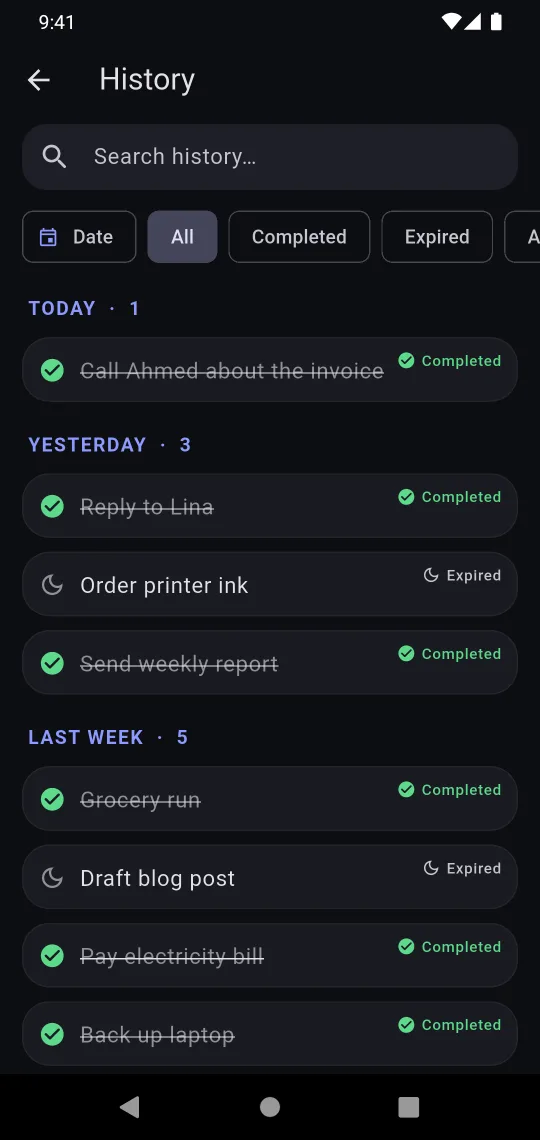
Every past note, grouped by day. Filter by completed or expired, or search for anything.
Share to Second Brain from any app, select text and choose “Remember this”, or long-press the icon for a new note.
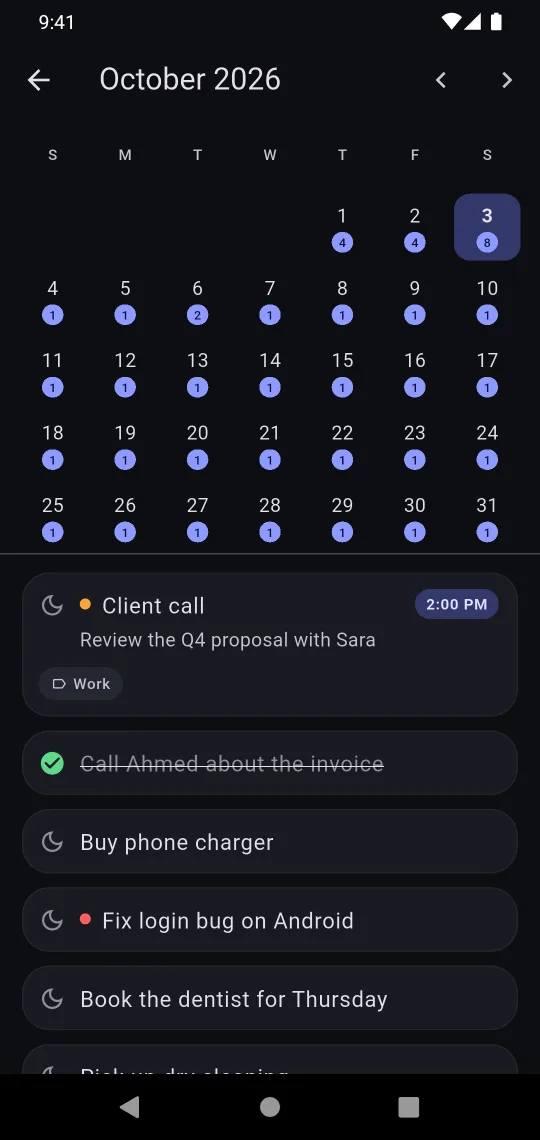
Start dates, expiry dates, priorities, colours and categories — all optional. A calendar shows what's coming.
There's no account to make and no server to send anything to. The app collects nothing and makes no network requests of its own. Export everything to an open JSON file whenever you like.
No subscription, no in-app purchases, no “pro” tier. Everything is included.
US price. Google Play shows the price for your country.
Quick notes leave Today and move to History, marked completed or expired. Pinned notes, and notes with a later expiry date, stay put. Nothing is deleted. You can move the reset to 1, 2, 3, 4 or 5 AM if you're often up late.
No. Second Brain works completely offline and has no account system. Your notes are stored only on your phone.
No. You pay once on Google Play and get every feature. There are no ads, no subscription and no paid upgrades inside the app.
Use Settings → Export backup to save a file, then Import backup on the new phone — you'll see what's in it before anything changes. If your phone's Google backup is on, Android can also bring your notes across automatically, end-to-end encrypted.
Some phones (especially Samsung, Xiaomi, OnePlus and Huawei) aggressively stop background apps. Allow “Alarms & reminders” for Second Brain and set its battery usage to “Unrestricted”. The support page has step-by-step help.
Not yet. Second Brain is Android-only for now (Android 7.0 and newer).